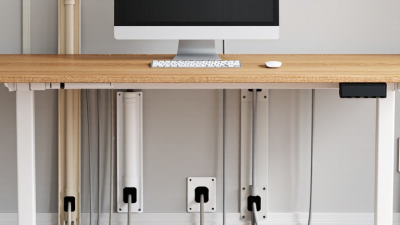
How to Choose the Best Cable Cover for Your Needs
A cable cover may look like a small finishing detail. In a busy office, workshop, or event space, it can help protect cables and reduce the chance that someone catches a shoe on a loose lead. The right choice depends on the site, not just the product photo.
Grand View Research valued the global cable management market at approximately $23.42 billion in 2023 and forecast 8.2% annual growth from 2024 to 2030. That report covers a broader market than cable covers alone, but it signals rising attention to organized cable routing. A cover for a quiet home office may be light and low-profile; a warehouse walkway may need a tougher, more visible design that sits securely underfoot. Small details matter.
Choosing well means checking cable capacity, surface type, traffic, access needs, and whether the cover can be fixed in place. A neat appearance is not enough. Neither is a low price. I have not included a named expert quotation because no verifiable, directly relevant quote was supplied; inventing one would weaken the reliability of this guide. That is worth saying plainly. The sections ahead compare common materials and profiles, explain practical safety considerations, and help match a cable cover to its actual setting—not an idealized one.

Identify the Purpose and Location of the Cable Cover
Start by identifying what the cable cover must protect: people from tripping, cables from damage, or both. A loose charger crossing a quiet desk area needs different protection from a power cord stretched across a busy hallway. Note how often people walk over it and whether carts, chairs, or cleaning equipment pass nearby. Measure the cable route, including corners and doorway thresholds. Measure twice.
For indoor floors, choose a low-profile cover that sits firmly and has a gently sloped edge. A raised edge can catch shoes or wheels, even when the material feels sturdy. Check that the channel fits the cable without squeezing it; tight bends may stress the insulation over time. For a wall or desk, adhesive-backed clips or a narrow raceway may keep cords tidy without putting a bulky strip underfoot. Small detail, real difference.
Location matters just as much as purpose. In damp areas or outdoors, look for a cover rated for the conditions, and keep connectors away from standing water. A product suitable for a dry living room may not hold up on a wet patio. Before installation, check the surface for dust and uneven spots, then test whether the cover stays in place under normal foot traffic. It is easy to underestimate how quickly a doorway becomes a high-traffic route.
Compare Materials and Construction Types
Cable-cover material affects grip, flexibility, and how well the cover handles daily wear. Flexible rubber often suits busy floors because it lies firmly and can absorb knocks from carts or shoes. It may feel bulky in a narrow doorway, though. PVC is lighter and easier to trim for home offices, but thinner versions can shift underfoot. Aluminum offers a rigid, durable channel, yet its hard edges and higher profile need careful placement. Small detail. Check the product’s load rating and the floor surface before choosing.
Construction matters just as much. A low-profile, hinged ramp lets people place or remove cables without dismantling the cover. It can work well across a walkway, but the ramp still needs enough width for the cable bundle. Screw-fastened raceways stay put along walls or beneath desks; adhesive-backed types install faster, though dust or textured flooring may weaken their hold. Split sleeves bundle cords neatly, but they do not protect cables from foot traffic. I used to focus too much on appearance. In practice, the cover’s edges, closure, and fit can matter more than its color. Measure the cable bundle, then check whether the cover can open without pulling connected plugs. Not always obvious. A tight fit can make routine changes frustrating.
How to Choose the Best Cable Cover for Your Needs
Compare materials and construction types. The chart shows representative channel counts for common cover designs; actual configurations vary by product.
How to use this: Single-channel covers suit one cable; multi-channel ramps keep several cables separated; modular ramps can be configured for larger cable runs. Rubber is often chosen for flexibility and grip, PVC for lightweight indoor use, and polyurethane for wear resistance. Check the product’s load rating, dimensions, surface conditions, and cable capacity before buying.
Match the Cover Size to Cable Quantity and Type
A cable cover should fit the cables you have, not just the space on the floor. Count each cable and measure the thickest point, including plugs or connectors if they must pass inside. A bundle of three thin data cables needs less room than three thick power cords. Check the cover’s usable interior width and height; outside dimensions can be misleading. Leave a little spare space so cables are not compressed, especially where they bend. A snug-looking fit can still be too tight.
Tips: Lay the cables together as they will sit inside the cover, then measure the bundle. Check the maker’s capacity guidance, and test a short section before buying a long run. Mixed cable types may need separate channels; keep power and data cables apart when the cover design allows it.
Think about how the cover will be used. A low-profile model may suit a doorway, while a wider cover can handle a larger bundle across a workshop floor. For areas with foot traffic, check the stated load rating and use a cover designed for that setting. Recheck the fit after adding cables. It is easy to underestimate how much space a connector takes up.
| Cable Quantity and Type | Typical Cable Diameter | Suggested Minimum Inside Channel Size (W × H) | Suitable Cover Style | Sizing Tip |
|---|---|---|---|---|
| 1–2 thin charging or data cables | About 3–5 mm (0.12–0.20 in) each | 12 × 8 mm (0.47 × 0.31 in) | Low-profile adhesive-backed cover | Allow room to lay cables side by side without pinching them. |
| 2–3 standard computer or monitor cables | About 5–8 mm (0.20–0.31 in) each | 20 × 12 mm (0.79 × 0.47 in) | Small surface-mounted channel | Check the largest cable’s plug or connector separately; most connectors will not fit inside a slim channel. |
| 3–5 mixed low-voltage cables, such as network, audio, or control cables | About 4–8 mm (0.16–0.31 in) each | 30 × 15 mm (1.18 × 0.59 in) | Medium channel with a removable lid | Choose a wider channel if cables need to cross or be separated during installation. |
| 1–2 heavier power cords | About 8–12 mm (0.31–0.47 in) each | 25 × 18 mm (0.98 × 0.71 in) | Roomy surface channel or floor cord protector | Use a floor-rated protector where people or carts may pass over the cables. |
| Several mixed cables, including power and data | Mixed; commonly about 4–12 mm (0.16–0.47 in) each | 40 × 20 mm (1.57 × 0.79 in) or larger | Large channel; use separate compartments if available | Keep power and data cables separated where practical, and follow applicable electrical and installation requirements. |
| Bundle of 6 or more cables, or cables that may need frequent changes | Varies by cable type | Measure the arranged bundle; choose a channel with extra clearance | Wide, accessible cable raceway or multi-compartment cover | Avoid compressing the bundle. Leave space for bends, future additions, and the cover to close securely. |
| Note: Cable diameters and suggested channel sizes are general planning estimates, not universal product specifications. Measure the actual cables and check the cover’s usable inside dimensions before purchasing. Do not force cables into a cover or exceed its stated load and use ratings. | ||||
Assess Safety, Durability, and Accessibility Needs
Safety starts with the route, not the cover’s color. The World Health Organization’s 2021 falls fact sheet estimates 684,000 fatal falls worldwide each year. A loose cable across a doorway is a preventable hazard. Choose a cover that fully encloses the cable, resists sliding, and carries a suitable load rating for people, carts, or equipment. For outdoor use, check its stated weather limits and the grip it provides on the actual surface. Wet floors can change the equation. Nothing is foolproof.
Accessibility changes the choice. The CDC reports that about one in four U.S. adults has a disability, though mobility and vision needs differ. A tall, abrupt ridge may challenge cane tips, walkers, or wheelchair users. Look for low-profile, tapered edges, clear visibility, and enough width to keep the route usable. Measure the route. Then test the transition with the mobility aid or wheeled equipment used in that space. I would not assume the thinnest cover is safest: it may fit poorly or fail to protect the cable. Recheck for shifted edges, cracked material, and trapped debris as traffic and room layouts change.
Choose an Installation Method and Maintenance Plan
Choose an installation method that suits both the floor and the cable route. Adhesive-backed covers can work well on clean, smooth surfaces where you may need occasional access. On textured floors, dust or unevenness can weaken the bond. Measure twice. For busy walkways or heavier cable bundles, a low-profile cover with a secure mechanical fixing may stay in place more reliably. Check that the fixing method suits the surface before drilling.
A cover should lie flat, with no curled edges or abrupt lips to catch shoes or chair wheels. If people cross the route often, consider a floor ramp designed for foot traffic, and confirm its cable capacity before installation. Keep the route away from door hinges and places where furniture may pinch the cables. It is easy to focus on appearance and overlook access; that can make later cable changes awkward.
Plan a simple maintenance routine around how often the area is used. Check the cover weekly in busy spaces, and monthly in quieter rooms. Look for cracked sections, loose fasteners, lifted edges, or dust trapped underneath. Dust matters. Wipe the surface with a dry or slightly damp cloth, following the material’s care instructions. If a section shifts or shows damage, address it promptly rather than covering the problem with tape. I might choose a removable cover for a changing home setup, even if it needs more frequent checks.
Related Posts
-
Top 10 Cable Hiders for Home and Office
-

What Are the Top Electric Cable Duct Systems in China?
-

How to Use a Cable Holder to Organize Your Cords Efficiently?
-

How to Choose the Right Wire Management System?
-
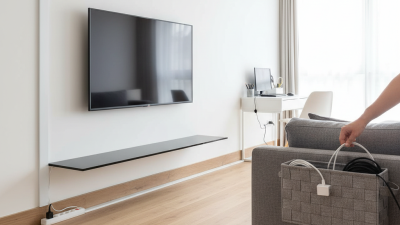
10 Essential Tips for Choosing the Best Cable Hider for Your Home
-
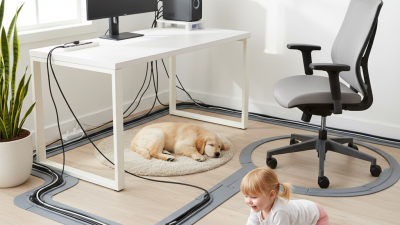
Top Benefits of Using Cable Cover for Home and Office Safety?