
7 Tips for Choosing the Right Industrial Motherboard?
Choosing the right Industrial Motherboard is not a simple comparison of processor speed and purchase price. It is a decision about uptime, heat, expansion, serviceability, and risk.
Industrial environments are unforgiving. A board may sit inside a dusty control cabinet, near vibration, electrical noise, or temperatures above 50°C. One missing serial port can also force an expensive redesign. That detail matters.
Market data shows why this decision deserves more attention. Fortune Business Insights estimates that the global industrial PC market could grow from approximately USD 5.33 billion in 2023 to USD 8.49 billion by 2032. MarketsandMarkets reports a different forecast, reflecting different market definitions and research methods. The disagreement itself deserves consideration. Market figures are useful guides, not guarantees.
Kevin Ashton, the technology expert credited with coining “the Internet of Things,” once wrote, “The Internet of Things has the potential to change the world, just as the Internet did. Maybe even more so.” His point applies directly to motherboard selection. Connected machines depend on stable computing foundations.
This guide presents seven practical tips for evaluating an Industrial Motherboard. It examines CPU lifecycle, I/O interfaces, operating temperature, storage, expansion, security, and long-term support. It also considers less obvious concerns, such as BIOS availability and replacement consistency.
Specifications can look impressive on paper. They may still fail in a real factory.
A reliable choice should match the machine’s daily conditions, not only its launch requirements. Some buyers overlook future sensors, remote monitoring, or operating-system changes. That oversight can shorten the system’s useful life. Careful evaluation now may prevent costly downtime later.
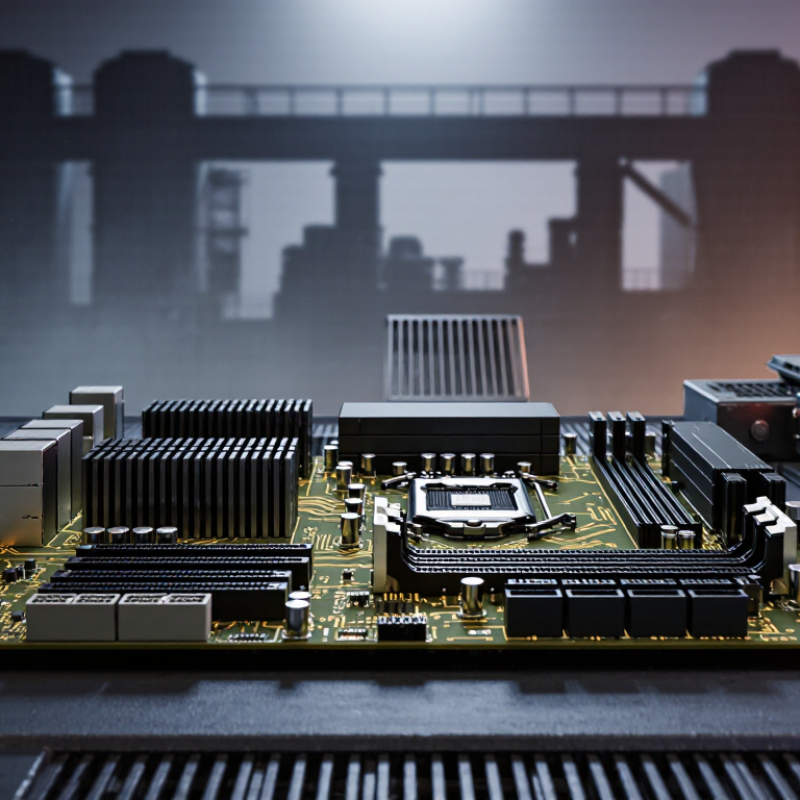
Define the Application Requirements and Operating Conditions
Choosing an industrial motherboard starts with the application, not the processor name or a tempting feature list.
Map every task the board must perform: machine control, data logging, vision processing, or gateway communication. Record required interfaces, including serial ports, USB, Ethernet, fieldbus, storage, and display outputs. Check bandwidth and timing, not only connector count. A factory camera may need stable high-speed data transfer, while a controller may value deterministic response. I have seen projects fail because engineers counted ports but ignored isolation and cable length. That mistake is expensive.
Then describe operating conditions in measurable terms. Note ambient temperature, humidity, dust, vibration, shock, altitude, and available power. A board inside a sealed cabinet may face heat buildup, even when room temperature seems acceptable. Calculate internal temperature, airflow, and peak electrical load. Confirm the rated range and required protection before approval. Consider maintenance too. Can technicians replace storage without removing the whole system? Will loose cables endure repeated vibration? Test the complete assembly, not the board alone. A bench test is useful, but it can mislead. It rarely reproduces dust, thermal cycling, or electrical noise. Leave margin for aging and future expansion. I once allowed too little thermal margin, and the system worked only during mild weather. That result forced a redesign. Better requirements would have exposed it earlier.

Verify Processor, Memory, Storage, and Operating System Compatibility
7 Tips for Choosing the Right Industrial Motherboard?
Verify Processor, Memory, Storage, and Operating System Compatibility
A reliable industrial motherboard must match the processor, memory, storage, and operating system before purchase. Start with the processor socket, chipset, power limits, and supported thermal design range. A processor may physically fit but still fail after a firmware update. Check the manufacturer’s compatibility list and review the latest BIOS notes.
Memory deserves equal attention. Confirm the maximum capacity, module type, speed, voltage, and error-correction support. Industrial systems often run continuously, so unstable memory can create silent data errors. Test the planned memory modules under sustained load, not only during a short desktop session. Small details matter.
Storage compatibility includes interface type, available lanes, boot support, and operating temperature. Confirm whether the board supports SATA, NVMe, or other required devices. Then install the exact operating system image used in production. Check chipset, graphics, network, storage, and GPIO drivers. Secure Boot, legacy boot options, and watchdog settings can also affect deployment.
I have made this mistake.
A system booted correctly in the lab, then failed with the production image. The missing storage driver was the cause. Build a compatibility matrix before ordering hardware, and record every tested firmware and driver version. Leave room for revision changes. Specifications can look complete, yet a small undocumented limitation may still interrupt field service.
Evaluate Expansion Options, Interfaces, and Connectivity Standards
Choosing an industrial motherboard starts with expansion, not processor speed. List every device first: motion cards, data-acquisition modules, storage, and fieldbus adapters. Then check available PCIe lanes, slot spacing, and lane sharing. A board may advertise four slots, yet two can become unavailable under certain configurations. I have seen this mistake delay cabinet testing by weeks.
Tip 1: Match interfaces to real workloads. Industrial cameras may require USB 3.2 or Gigabit Ethernet, while older controllers may need serial ports. Confirm connector type, signal speed, isolation, and cable distance. IoT Analytics reported 16.7 billion connected IoT devices in 2023. That growth increases pressure on gateways and local processing. Still, more ports do not guarantee better performance.
Tip 2: Treat standards as a lifecycle decision. Prefer widely supported PCIe, M.2, Ethernet, USB, and CAN interfaces when replacement flexibility matters. Check whether the motherboard supports the required protocol version, not just the connector.
Tip 3: Review connectivity resilience. Industrial networks may need dual Ethernet ports, time-sensitive networking, or cellular failover. The Industrial Internet Consortium stresses interoperability and deterministic communication in critical systems. However, standards alone cannot solve poor grounding, heat, or cable routing. Leave thermal headroom, document unused interfaces, and test the exact expansion-card combination. No checklist is perfect.
Assess Industrial Durability, Thermal Design, and Reliability
Industrial motherboard selection demands more than checking processor speed and expansion slots. Start by examining durability under vibration, dust, humidity, and continuous operation. A reinforced circuit board can reduce damage near connectors. However, stronger materials do not replace proper enclosure design. Request test conditions, temperature ranges, and expected service life. Marketing language alone is weak evidence.
Thermal design deserves careful attention. Check the processor’s heat output, airflow path, heatsink contact, and nearby component temperatures. Fanless systems reduce moving parts, but they can retain heat inside sealed cabinets. A small control box may become surprisingly hot after eight hours. Measure temperatures during peak workloads, not only during startup. Thermal throttling can quietly reduce performance and shorten component life.
Reliability also depends on power stability, firmware support, and component quality. Look for protection against voltage changes and recovery after unexpected shutdowns. Review repair procedures and replacement availability before deployment. A motherboard may pass laboratory testing yet struggle in a dusty production area. That gap matters. Even experienced buyers can overlook cable stress or weak mounting points. Leave thermal headroom instead of designing to the limit. Document every test result, including failures, because inconvenient evidence often reveals the most important design weakness.
Compare Lifecycle Support, Security Features, and Total Cost of Ownership
7 Tips for Choosing the Right Industrial Motherboard
Compare lifecycle support before comparing processor speed. Ask how long the board will remain available, and request written notices for design changes. A stable supply can protect a machine that must run for ten years. Check repair options, spare-part storage, and technical response times. These details often matter more than a small performance gain. Review the operating temperature range, vibration tolerance, and power input carefully. A board rated for harsh conditions may reduce unexpected service visits. However, ratings alone can mislead. Test the complete system inside its actual enclosure.
Security should be examined at the hardware level. Look for secure boot, trusted platform support, signed firmware, and controlled update procedures. Disable unused ports when possible. Protect administrator access with unique credentials and role-based permissions. Review the supplier’s vulnerability response process, including notification and patch timelines. A secure feature is useless if operators cannot maintain it. Keep an audit record for firmware changes. It creates accountability during technical reviews.
Calculate total cost of ownership beyond the purchase price. Include engineering validation, software migration, energy use, downtime, replacement units, and technician training. A low-cost board may become expensive after two emergency replacements. Estimate the cost of one hour of production loss. That number can change the entire purchasing decision. Check whether existing cables and operating systems remain compatible. I have seen teams overlook this detail. Their hardware fit, but commissioning took weeks longer than planned. Leave room for uncertainty in the budget. Real factories rarely behave like test benches.