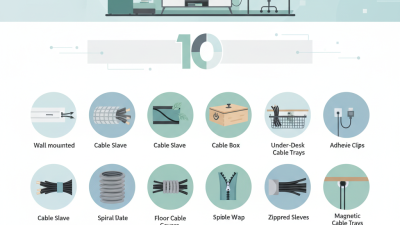

10 Cable Hider Tips for a Neater Workspace
Install cable management where cables naturally travel, not where the desk looks empty. Measure the route twice, then mark fixing points with removable tape. Keep power cables away from sharp edges and moving drawers. Never force a cable around a tight corner. Its outer coating may look fine while internal wires suffer. Use clips sized for the cable bundle, leaving slight room for movement.
Tip: Label both ends before hiding them. This simple step saves time during repairs.
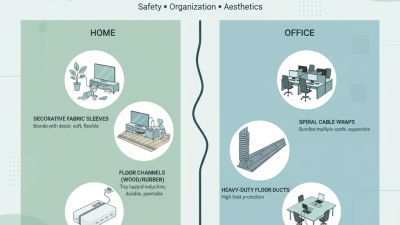
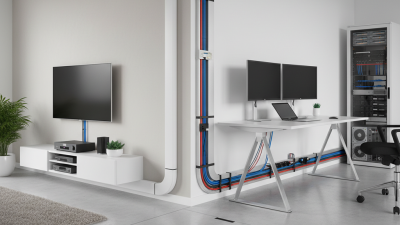
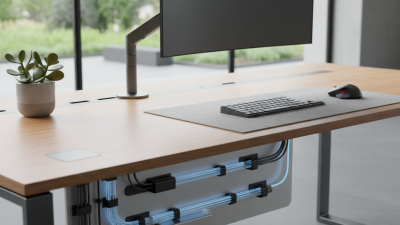
Conceal cables with under-desk channels, fabric sleeves, or low-profile trunking. Choose a route that remains accessible for cleaning and troubleshooting. Separate power leads from signal cables when possible, especially near monitors and audio equipment. Avoid packing warm adapters into sealed spaces. They need airflow. Secure loose loops with reusable ties, but do not tighten them until the insulation bends or dents.
I once over-tightened a bundle and had to replace several ties. It looked neat, but the pressure was unnecessary.
Secure the final section near each device, so plugs do not pull against ports. Leave a small service loop behind monitors and docking equipment. This extra length supports future adjustments. Test every connection before closing the channel. Then move the desk, raise the chair, and check for tension.
Tip: Take a photo of the finished route. Future maintenance becomes easier.
A perfect layout may still need revision after daily use. That is normal.